








What Is the Best Magento B2B Module for Your Business?
If you’re selling to other businesses, you’ve probably noticed that a standard Magento store just doesn’t cut it. Wholesale buyers aren’t interested in clicking “add to cart” ten times.
They want to upload a spreadsheet, see their negotiated prices right away, and check out without having to call anyone.
That’s exactly where a Magento B2B module steps in; it fills the gap and makes things a lot smoother for business buyers.
Choosing the right module really depends on how your customers actually order, not just on what some “top 10” list recommends.
Let’s dig into what these modules actually do, where Magento’s built-in B2B features miss the mark (and where they don’t), and how to narrow down your options.
What Does a Magento B2B Module Really Do?
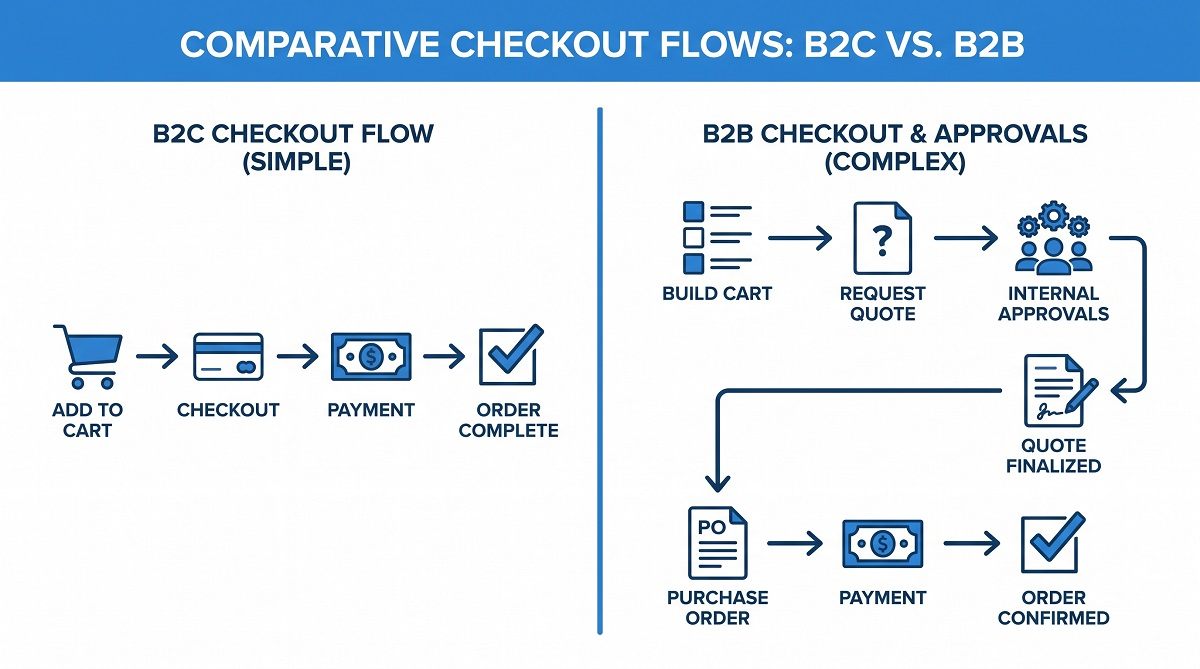
Think of it as a bridge between your catalog and the chaos of business buying. The regular checkout process assumes one shopper, one payment method, and one address.
B2B is different. It’s got purchasing managers, approval workflows, contracts with specially negotiated prices, and orders coming from multiple people on the same account.
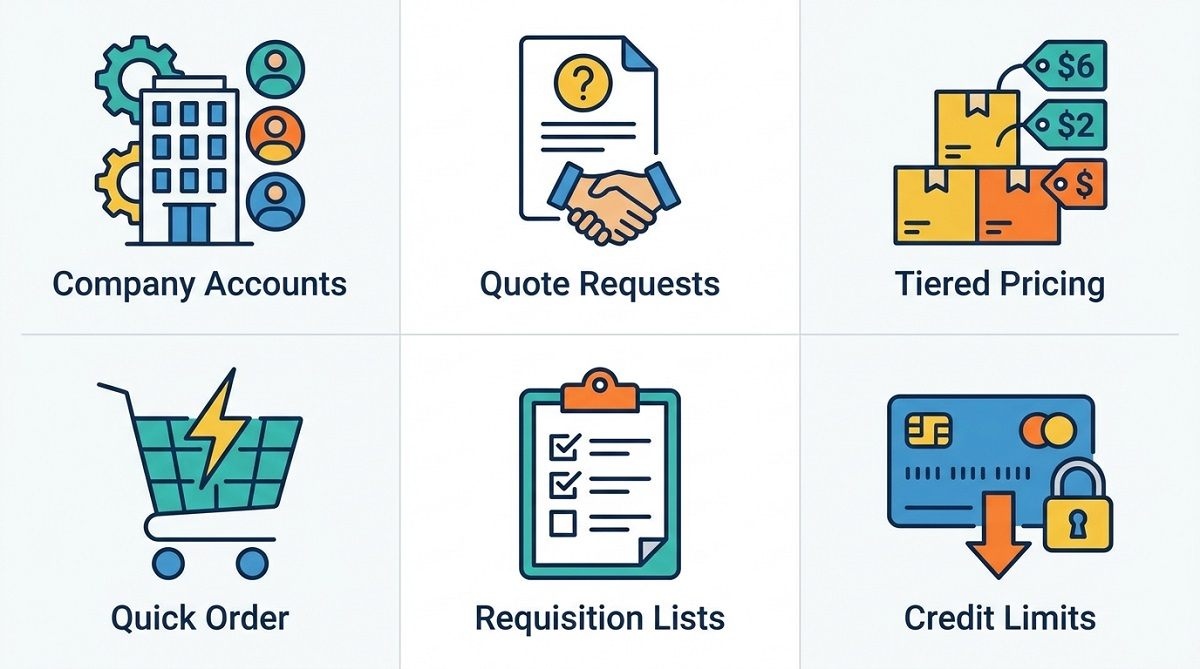
A solid module includes features like:
- Company accounts—one login for multiple buyers, with shared order histories.
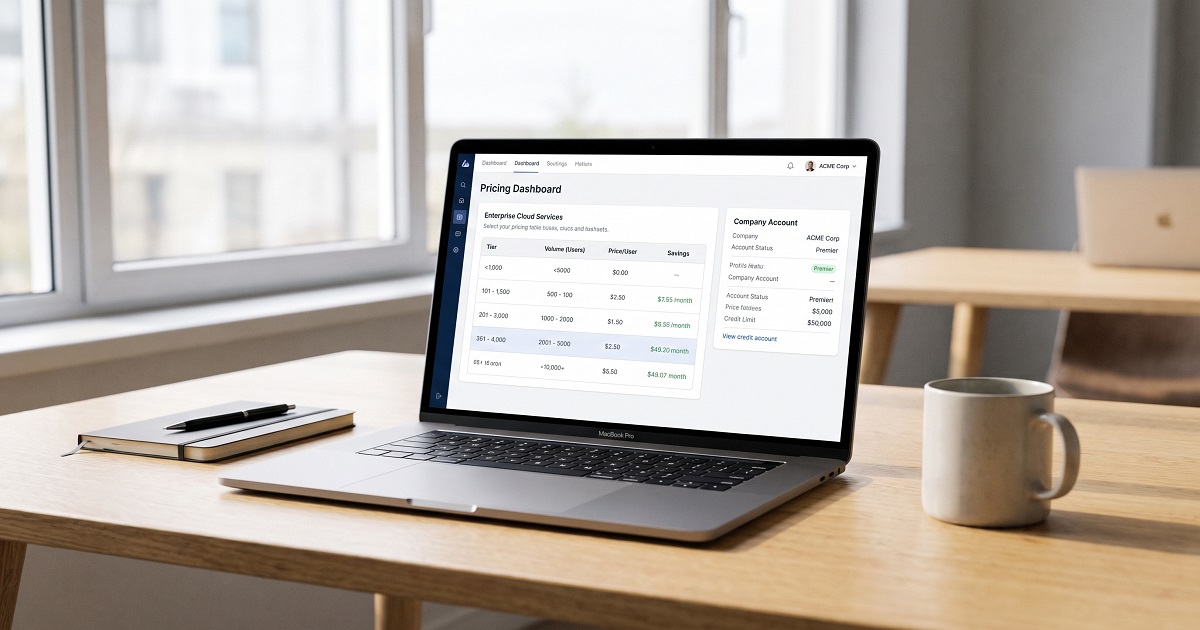
- Tiered and group pricing—different prices for each account, calculated automatically.
- Quote requests—buyers ask for prices, sales reps reply, and everything’s tracked in one thread.
- Quick order or bulk upload—buyers paste a list or upload a spreadsheet of SKUs instead of browsing.
- Requisition lists—buyers save their regular orders and reorder with one click.
- Credit limits and purchase approvals—so junior buyers don’t accidentally blow the budget.
None of this is groundbreaking; it’s just what business buyers expect, much like how you expect a hotel site to remember your loyalty number.
Why Default Magento Isn’t Built For Business Buyers
Magento (now Adobe Commerce) is powerful right out of the box, but its default checkout was made for retail shoppers.
That’s fine for most stores, but it becomes a headache when a wholesale client wants to place a $40,000 order through a cart meant for buying phone cases.
Without B2B features, you’re stuck with messy workarounds. Buyers email spreadsheets, staff manually apply discounts, and someone’s re-entering everything in an ERP by hand.
The process technically works, but it’s not scalable and, honestly, makes your store look like an afterthought to serious buyers.
The Core Features Worth Paying For

Not every store needs every feature. A wholesaler selling to five distributors has different needs than a manufacturer with two thousand dealer accounts.
Here's roughly how to weigh it:
|
Feature |
Who needs it most |
|
Company/account hierarchy |
Businesses with multiple buyers per client |
|
Tiered pricing by customer group |
Anyone with negotiated or volume pricing |
|
Quote management |
Sellers where price isn't fixed (custom orders, large volume) |
|
Quick order / CSV upload |
Repeat B2B buyers ordering the same SKUs often |
|
Custom catalogs |
Stores showing different products to different account types |
|
Purchase approval workflows |
Larger buying organizations with budget controls |
If you're only checking two or three boxes on that list, a single well-built magento b2b module can probably cover it without a full commerce upgrade.
Native Adobe Commerce B2B vs Third-Party Extensions
A lot of people get tripped up here. Adobe Commerce, which is basically Magento’s paid version, comes with its own B2B tools; things like company accounts, quotes, and requisition lists are all built in.
If you’re using Magento Open Source, the free version, you won’t find those features included. That’s where all those third-party extensions pop up.
Honestly, it’s not a question of which is “better.” It really comes down to your budget, what version you’re running, and how unique your business processes are.
Third-party add-ons are usually quicker to set up, often less expensive, and laser-focused on solving one issue, like maybe you just need to hide pricing until someone logs in.
The native B2B suite, on the other hand, does more out of the box, but you have to pay for that Commerce license. So it’s about what fits your setup best.
How to Pick the Right Module for Your Business
A few honest questions, in order:
- What's actually breaking today? Don't buy a full suite to fix one workflow. If quote requests are the pain point, start there.
- How many buyers touch one account? If it's just one person per client, skip company hierarchy features entirely.
- Does pricing change by customer, or by volume? These need different tools; customer-specific pricing and tiered/volume pricing aren't the same thing.
- Will this module still work after your next Magento upgrade? Ask the vendor directly about update history and compatibility support.
- What does support actually look like? B2B setups tend to need configuration help. A module with responsive support saves you real hours down the line.
A Quick Story From the Trenches
A few years back, I worked with a small industrial supply store that was still taking B2B orders over the phone because their online checkout couldn't handle net-30 terms or bulk pricing. Setting up a quote system and tiered pricing took about three weeks, start to finish.
And in just the first month, orders from their top five accounts shot up because those buyers could finally place recurring orders themselves, without waiting for someone to call them back.
The change wasn’t some drastic rebuild. The store just started working the way those customers wanted it to all along.
That’s really the heart of what a Magento B2B module does. It’s not about piling on features. It’s about making the buying process easier and fixing the stuff that’s already costing you sales.
Why Experience Matters When You're Trusting Someone With Your Setup
Configuring B2B touches all the tricky stuff: pricing logic, customer accounts, checkout. This is not where you want to gamble with some untested extension.
Here, experience with Magento matters way more than it does for a basic style update.
Amasty’s been building Magento extensions for over ten years. They focus on B2B tools, and thousands of stores use their stuff. Their magento b2b module pops up a lot in comparisons because the team has real-world experience.
It shows up in all the little things like how a quote thread stays synced with the customer record, or how well a module survives a Magento core update.
That doesn't mean it's the only option worth considering; it's worth testing a couple of modules against your own workflow before committing.
But when experience and update history are part of your checklist, it's a name that consistently comes up for good reason.
Bottom Line
The best Magento B2B module isn’t the one with the longest feature list. It’s the one that fits how your buyers already want to place orders.
Start by figuring out what’s actually broken, check if native Adobe Commerce B2B can already solve it, and only bring in a third-party module if there’s a real gap.
If you’re comparing vendors, look hard at their update history and how they handle support; real differences usually show up six months down the line, not on launch day.
Ready to start comparing? Map your current friction points at checkout against what each module offers. That quick fifteen-minute audit will give you a clearer answer than any ranking article, including this one.
Frequently Asked Questions
Do I need Adobe Commerce to benefit from B2B features in Magento?
Adobe Commerce comes with a comprehensive B2B functionality set. However, Magento Open Source stores can also provide most of them, usually via third-party marketplace extensions. The choice depends on the available budget and the list of required features.
What’s the difference between tier pricing and customer-specific pricing?
The former is a price model that offers a lower cost per unit for larger quantities of goods, while the latter refers to a company’s ability to give discounts to certain customers or groups of customers independently of their order sizes. Both options are often used in B2B commerce to boost sales.
Can I manage B2B and B2C sales in one Magento store?
There is no need to run different stores for different types of customers. In most cases, B2B and B2C sales can co-exist within one store. Using customer groups and company accounts, businesses can establish separate pricing rules, catalogs, and other policies so that B2C customers see different prices and product offers than B2B buyers.
How long does it take to install a B2B module in Magento?
It depends on how many features the extension provides. For example, a quote management module can be installed and set up in several days, whereas an extensive B2B suite may take weeks to configure. It is better to rely on professionals when dealing with complex modules that require individual customization.
Is it worth investing in a Magento B2B module?
It may well be even when you have a small wholesale business. The value of a B2B platform extension is mostly driven by the amount of time it saves you on processing transactions. It is always recommended to start with something easy, for instance, with quote management or tiered pricing.